Inquiring on Claim History Web Page
Overview - The Claims History function allows a user to request of report of claim activity history.
Inquiring on Claim History: Web Page Image
Figure 210: Claims History

Inquiring on Claim History: Web Page Details
- After logging in to the secure Web Portal, on the left side of the Home Pagein the navigation bar, the user should click Inquiry Options.
- The Inquiry options will expand showing Claims History.
- The user will click Claims History to access the Claims History page.
Figure 211: Claims History
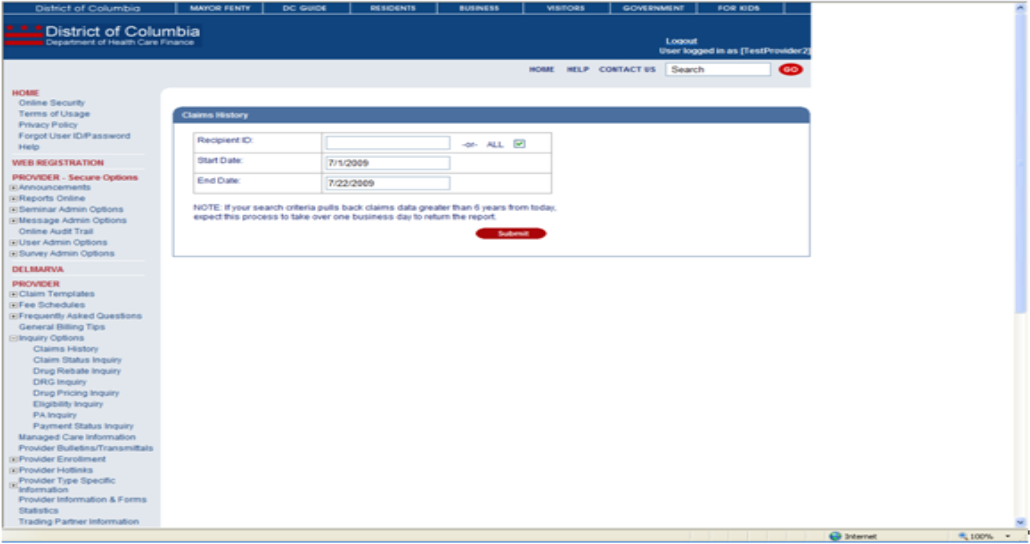
- The Recipient ID (or check 'All') and dates of service must be entered if the user is a provider. If the user is not a provider, the Provider Number must also be entered.
Figure 212: Claims History
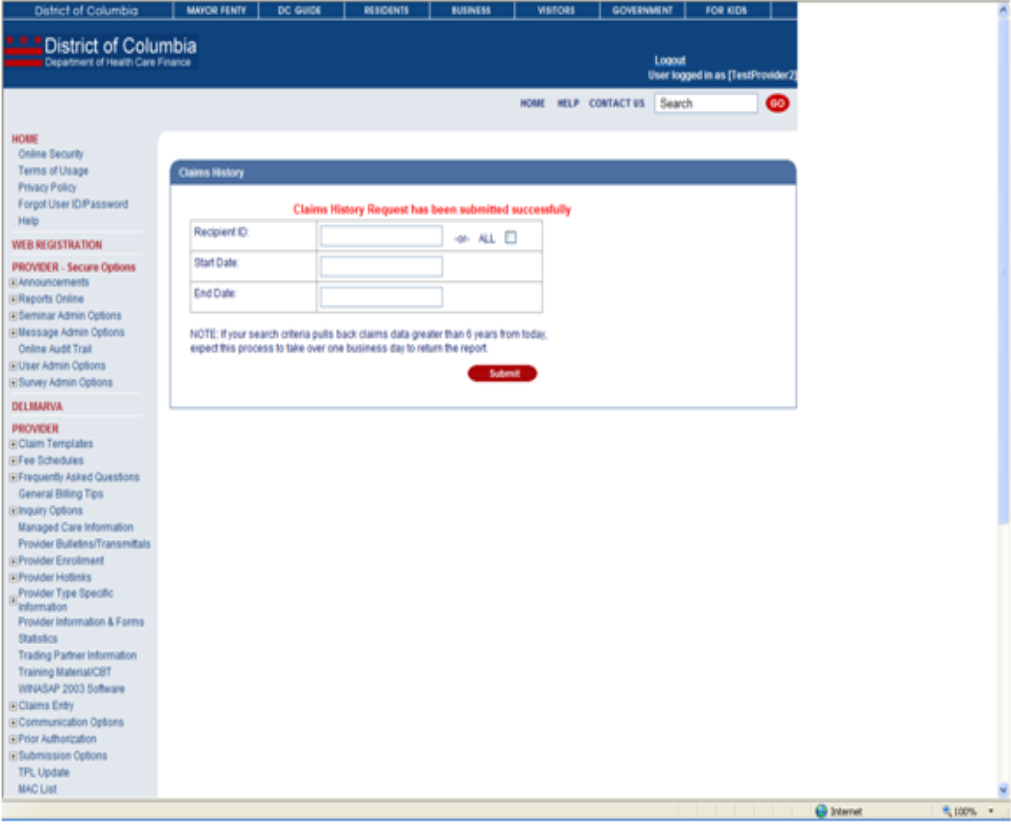
- After clicking Submit, a success message will be received. This indicates the request was successfully sent.
- The following business day, the user may access the report in their Message Center.